
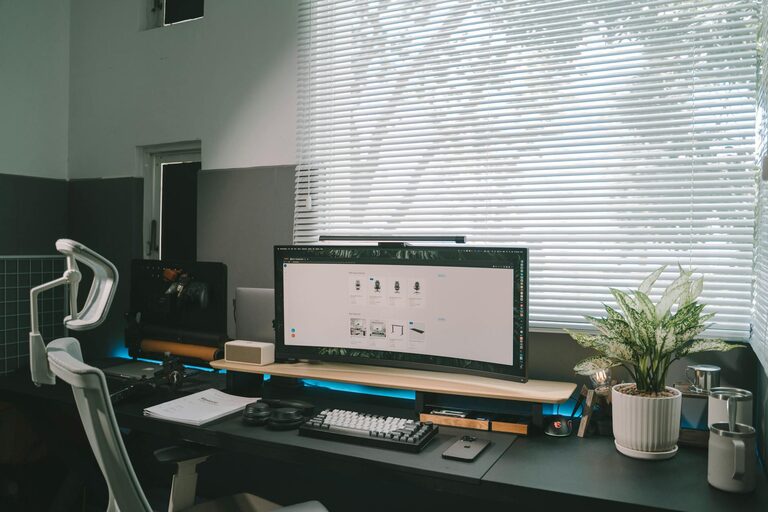
Creating a productive home office environment is essential for anyone working from home. A well-designed workspace can boost your focus, reduce distractions, and help maintain a clear boundary between work and personal life. Whether you have a dedicated room or a small corner, these tips will guide you in setting up an efficient and comfortable office space.
Choose the Right Space
Selecting the right location in your home is the first step towards productivity.
– Quiet and Private: Opt for a spot away from the noise of daily household activities. This helps maintain concentration and reduces interruptions.
– Natural Light: If possible, pick an area near a window. Natural light improves mood and energy, which can enhance your work performance.
– Enough Space: Ensure there is enough room for your desk, chair, and any equipment you need without feeling cramped.
Invest in Ergonomic Furniture
Comfort plays a big role in maintaining productivity, especially during long hours of work.
– Ergonomic Chair: Choose a chair that supports your back and encourages good posture to prevent discomfort.
– Adjustable Desk: A desk with adjustable height can allow you to switch between sitting and standing, promoting better circulation.
– Proper Desk Size: Your desk should accommodate your computer, keyboard, and additional items like notebooks or files with enough room to stay organized.
Organize Your Workspace
A clutter-free work area helps clear your mind and improves efficiency.
– Declutter Regularly: Remove unnecessary items from your desk to maintain a tidy environment.
– Use Storage Solutions: Shelves, drawers, and file organizers keep your materials orderly and within reach.
– Cable Management: Use clips or channels to keep cables tidy and prevent tangling, which reduces distractions.
Optimize Lighting
Good lighting reduces eye strain and fatigue.
– Combine Ambient and Task Lighting: General room lighting paired with a desk lamp can ensure your workspace is well-lit.
– Avoid Glare: Position your computer and lights to minimize screen glare and reflections.
– Use Adjustable Lighting: Lamps with adjustable brightness let you control the lighting based on the time of day and type of work.
Minimize Distractions
Creating a distraction-free zone is key to staying productive.
– Set Boundaries: If you live with others, explain your work schedule and the importance of minimizing interruptions.
– Silence Notifications: Turn off non-essential phone and computer notifications during focused work periods.
– Use Noise-Cancelling Headphones: These can help block out background noise, especially in shared living spaces.
Incorporate Personal Touches
A workspace that feels inviting can increase motivation.
– Add Plants: Houseplants can improve air quality and provide a calming atmosphere.
– Display Inspiring Items: Photos, artwork, or motivational quotes can boost your mood.
– Keep it Comfortable: Use cushions or a cozy rug to make your office feel welcoming without cluttering the space.
Establish a Routine
Having a consistent schedule helps maintain work-life balance.
– Set Work Hours: Stick to regular start and finish times to create structure.
– Take Breaks: Short, regular breaks prevent burnout and keep energy levels high.
– Designate Work Zones: If you don’t have a separate room, use visual or physical cues to switch between “work mode” and “home mode.”
Ensure Good Technology Setup
Reliable technology supports smooth workflow.
– Stable Internet Connection: Ensure your Wi-Fi is strong and reliable for video calls and online tasks.
– Quality Equipment: Invest in necessary tools like a good keyboard, mouse, webcam, and microphone.
– Backup Solutions: Save your work often and consider cloud storage to avoid data loss.
Maintain Cleanliness
A clean workspace is refreshing and minimizes distractions.
– Daily Tidying: Spend a few minutes at the end of each day cleaning your desk.
– Regular Deep Clean: Schedule weekly cleaning to dust and sanitize your area.
—
By applying these practical tips, you can create a home office environment that supports productivity and comfort. Remember, your workspace should be tailored to your personal needs and preferences to help you perform your best every day.